Sunday, 9 April 2023

How many effective hours are in a typical work day?

In software development, the number of effective work hours is not the same as the number of hours you are at work. I'm going to be upfront and say it is never as high as you think it is.

This article is meant to give you a feel for what your effective hours might actually be.

Effective development hours calculation

Let's start with this formula for calculating effective work hours. 

E = W - (D + C + M)

E: Effective development hours per day
W: Work hours  
D: Time for daily non-development duties
C: The time penalty for context switching x the number of non-development duties
M: Time lost for morning inefficiency

We'll fill these in as we go...

The 8hr working day

Let's assume that you are working for 8hrs, not including your breaks. Developers tend to be encouraged to estimate tasks based on this full day. 

If I was fingers-on-keyboard effective 100% of the time during all work hours, then a task that I estimate for 1 day should be my maximum theoretical output of 8hrs. But this is never the case.

E = 8 - (D + C + M)


Let's deduct time for detractors

Here are 5 non-development items (with some average numbers based on my experience).
  • Emails (15min)
  • Standup (15min)
  • Meetings (30min - may be more or less depending on the day)
    • Meetings within a sprint are likely to include:
      • Scope/requirements/design discussions
      • Architecture discussions
      • Backlog grooming
      • Sprint planning
      • Sprint review (and possibly a demo)
      • Sprint retrospective
      • Misc.
  • Helping others (e.g. to debug, code review, aid decision making) & misc duties (15min - may be more or less depending on your role)
  • Random chatter (15min)

These 5 non-development items mean that 1.5hrs are deduced from each day on average. 

Now your day only has 6.5hrs.

So you are 100% effective for 6.5hrs right? No!

E = 8 - (1.5 + C + M)


What about context switching?

The multiple distractors have a cost.

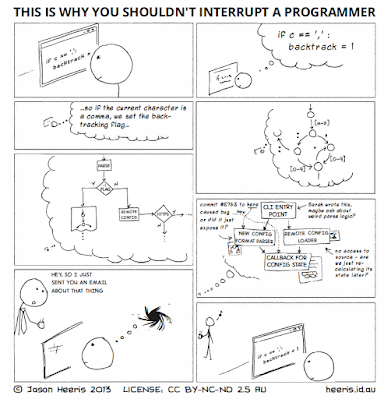
Every time you change tasks, it takes time to ramp up to full speed. We call this getting into a flow state. According to Very Well Mind it can take around 10-15min to ramp up. For some tasks it could take a lot longer!

For the sake of this discussion, let's keep this conservative. Those 5 detractors require 15min each, totalling 1.25hrs. Note that this assumes that you only check your emails once per day, and help someone once per day.

Now your available time is 6.5 hrs - 1.25hrs = 5.25hrs

E = 8 - (1.5 + 1.25 + M)


It gets worse!

In my experience, those 5 items are spread throughout the day, and mornings are particularly inefficient. Here is an example schedule.

  • 9am - Get to work and settle in
  • 9:15am -9:30am - Check emails
    • At this point you already lost 15min of the day
  • 10:00am - 10:15am - Standup
    • But what happened to the 30min between checking emails and standup?
In this example we effectively lost 45min of the day.

Subtracting 45min of the day...

Now you have only 4.5hrs of effective development time to do your tasks.

E = 8 - (1.5 + 1.25 + 0.75) = 4.5hrs


Final thoughts

Some of you will be thinking that 4.5hrs of an 8hr day is not reasonable. 
You may be yelling: What if you line-up everything back to back? 

Sure! I actually recommend this! So let's assume you can totally remove the morning inefficiency by having a 915am standup. You are still only at 5.25hrs of effective development time per day. 

But what if you could reduce meetings too? Yes! You should totally reduce meetings. However, you may find that you still need a few of those meetings per week. So you cannot just say no meetings at all! In my experience, you "might" be able to squeeze 5.5hrs of effective development time on average per day.

At this point I would also remind you that people are not robots. We have slow days, and we also make mistakes. Software development is not like building a brick wall, and you have to be realistic about your effective hours, not just count the number of hours in the day.

In my experience I typically say that 5hrs is the number of effective hours per day. This is realistic based on the numbers above, and also allows for a bit of wiggle room.

I hope this gives you food for thought.

The next time you estimate 1 day for a task, remember that your effective hours per day is not 8hrs. It is likely closer to 5hrs.


Friday, 4 February 2022

Time constraints and technical debt

Developers often report that time constraints are a causal factor of their incurred technical debt. In fact, this was a finding in an academic study on technical debt factors (Rios et al, 2018). This finding did not dig deep into why timeframe was a problem, however, this finding implies that (at least for some scenarios) it is not possible to do things well due to an aggressive timeframe.


Strategic Technical Debt vs Incidental Technical Debt

There is strategically incurred technical debt and incidental/accidental technical debt. A strong tech team may incur technical debt willingly, with a good understanding of its implications, and hopefully a plan to fix it. A weaker team will often incur technical debt by accident. In other words, they may not even know why their approach would cause technical debt until it is too late in the project.


Why is time a factor?

Some teams can produce a well-architected solution within a tight timeframe. Why is that?

Often developers will say they know it's not very good, however they did not have time to do it well.

However, they really mean something else... 


They did not actually know how to do things well in the first place. Consequently, they did not know how to do things well within the time frame. If they did know how to do things well, then they would have known the consequences of bad code actually slow down the project delivery, not speed it up. Therefore they incurred incidental/accidental technical debt.


How to avoid technical debt?

My top 3 tips are:

  1. Ensure all of your developers know about clean code. Watch THIS VIDEO - They're not allowed to commit any code until they watch and understand this!!!
  2. Practise SOLID principles - Success requires understanding why and when to use:
  3. Have strong skills in TDD/BDD - Requires understanding the trade-offs between different automated testing approaches
    • Get schooled by watching the first 44min of this video by my friend Lars-Erik Aabech, who teaches about automated testing at Østfold University in Norway


For more, on what I think all developers should be exposed to, you can check out my Software Engineering Trello board:

https://trello.com/b/XDZqHM6J/software-engineering-on-a-board


References

Rios, N., Spínola, R. O., De Mendonça Neto, M. G., & Seaman, C. (2018). A study of factors that lead development teams to incur technical debt in software projects. Proceedings - 44th Euromicro Conference on Software Engineering and Advanced Applications, SEAA 2018, 429–436. https://doi.org/10.1109/SEAA.2018.00076

Monday, 31 January 2022

Software Engineering On A Board

I have hired dozens of developers over the years. At some point, I started keeping a list of all the skills and knowledge that I want developers to have. 

A year ago I made public this Trello board: Software Engineering On A Board

I envisioned this as being a summary of an Applied Software Engineering course.

Developers who work with me will experience most (if not all) of these learnings at some point. Many of these topics will definitely challenge people to think differently, and hopefully wholistically about code,  architecture and systems.

This board is definitely open to contributions. So if you want to contribute to making it better, please get in touch!


Friday, 8 January 2021

UmbrCoach

Introduction

I started my latest side-project around a year ago. Now after several months of "soft launch", I am ready to go full public.

Background

My trajectory as a developer has seen me move through leadership roles in a few companies. During this journey I have come to realise that I really enjoy mentoring and coaching. My proudest moments are when a junior developer suddenly gets it. This gives me great joy.

In the last 12 years I have also been heavily involved in the Umbraco community. This is a great helpful friendly community which has allowed me to contribute in many ways.


UmbrCoach is born!

UmbrCoach is an amalgamation of my positive experiences in the Umbraco community, and my experience of being a coach and mentor. It is my hope that UmbrCoach can gather volunteer mentors from around the world, so we can cover all timezones, and help aspiring developers succeed in their chosen path, no matter where they live. Best of all... It is free!


Help devs find a mentor

You have read this far, so now I need your help. If you know aspiring developers who would benefit from a mentor, please point them to UmbrCoach. 

Thanks!


Tuesday, 8 December 2020

Umbraco Version Cleanup - Ultrascript

 Just thought I'd share my Umbraco cleanup script.

If you're looking to remove old versions, clean up your recycle bin, and generally speed up your database, this is the script for you. It is a combination of all the scripts I have found out in the wild.

Warning: Back up your DB before you run this. You have been warned!


truncate table umbracoLog 

-- truncate elmah table if it exist
IF OBJECT_ID('ELMAH_Error') IS NOT NULL
TRUNCATE TABLE ELMAH_Error

-- empty content recycle bin
DELETE FROM cmsPreviewXml WHERE nodeId IN (SELECT id FROM umbracoNode WHERE path LIKE '%-20%' AND id != -20)
DELETE FROM cmsContentVersion WHERE contentId IN (SELECT id FROM umbracoNode WHERE path LIKE '%-20%' AND id != -20)
DELETE FROM cmsDocument WHERE nodeId IN (SELECT id FROM umbracoNode WHERE path LIKE '%-20%' AND id != -20)
DELETE FROM cmsContentXML WHERE nodeId IN (SELECT id FROM umbracoNode WHERE path LIKE '%-20%' AND id != -20)
DELETE FROM cmsContent WHERE nodeId IN (SELECT id FROM umbracoNode WHERE path LIKE '%-20%' AND id != -20)
DELETE FROM cmsPropertyData WHERE contentNodeId IN (SELECT id FROM umbracoNode WHERE path LIKE '%-20%' AND id != -20)

-- delete the XML nodes...
DELETE FROM umbracoDomains WHERE domainRootStructureID IN (SELECT id FROM umbracoNode WHERE path LIKE '%-20%' AND id != -20)
DELETE FROM umbracoUser2NodePermission WHERE nodeId IN (SELECT id FROM umbracoNode WHERE path LIKE '%-20%' AND id != -20)
DELETE FROM umbracoRelation WHERE parentId IN (SELECT id FROM umbracoNode WHERE path LIKE '%-20%' AND id != -20)
DELETE FROM umbracoRelation WHERE childId IN (SELECT id FROM umbracoNode WHERE path LIKE '%-20%' AND id != -20)
DELETE FROM cmsTask WHERE nodeId IN (SELECT id FROM umbracoNode WHERE path LIKE '%-20%' AND id != -20)
DELETE FROM cmsTagRelationship WHERE nodeId IN (SELECT id FROM umbracoNode WHERE path LIKE '%-20%' AND id != -20)
DELETE FROM dbo.umbracoRedirectUrl WHERE contentKey IN (SELECT UniqueId FROM umbracoNode WHERE path LIKE '%-20%' AND id != -20)
DELETE FROM umbracoNode WHERE path LIKE '%-20%' AND id != -20

-- empty media recycle bin 
delete from dbo.cmsContentVersion where contentid in (select Id from dbo.umbracoNode where path like '%-21%' and Id !=-21)
delete from dbo.cmsContentXml where nodeId in (select Id from dbo.umbracoNode where path like '%-21%' and Id !=-21)
delete from dbo.cmsMedia where nodeId in (select Id from dbo.umbracoNode where path like '%-21%' and Id !=-21)
delete from dbo.cmsContent where nodeId in (select Id from dbo.umbracoNode where path like '%-21%' and Id !=-21)
delete from dbo.cmsPropertyData where contentNodeId in (select Id from dbo.umbracoNode where path like '%-21%' and Id !=-21)

-- delete property data versions
DECLARE @createdDate Datetime = getDate()
 
DELETE FROM cmsPropertyData WHERE
    versionId NOT IN (SELECT versionId FROM cmsDocument WHERE updateDate > @createdDate OR published = 1 OR newest = 1) AND
    contentNodeId IN (SELECT DISTINCT nodeID FROM cmsDocument)
DELETE FROM cmsPreviewXml WHERE
    versionId NOT IN (SELECT versionId FROM cmsDocument WHERE updateDate > @createdDate OR published = 1 OR newest = 1) AND
    nodeId IN (SELECT DISTINCT nodeID FROM cmsDocument)
DELETE FROM cmsContentVersion WHERE
    versionId NOT IN (SELECT versionId FROM cmsDocument WHERE updateDate > @createdDate OR published = 1 OR newest = 1) AND
    ContentId  IN (SELECT DISTINCT nodeID FROM cmsDocument)

DELETE FROM cmsDocument WHERE
    versionId NOT IN (SELECT versionId FROM cmsDocument WHERE updateDate > @createdDate OR published = 1 OR newest = 1) AND
    nodeId IN (SELECT DISTINCT nodeID FROM cmsDocument)
  
-- reindex tables  
DBCC DBREINDEX (cmsPropertyData)
DBCC DBREINDEX (cmsPreviewXml)
DBCC DBREINDEX (cmsContentVersion)
DBCC DBREINDEX (cmsDocument)
DBCC DBREINDEX (cmsContentXml)
DBCC DBREINDEX (umbracoDomains)
DBCC DBREINDEX (umbracoUser2NodePermission)
DBCC DBREINDEX (umbracoNode)
DBCC DBREINDEX (cmsContent)

    
-- shrink database files
DECLARE @logFile nvarchar(200) = (select Name from sys.database_files where Name like '%log')
select @logFile
DBCC SHRINKFILE(@logFile)

DECLARE @dataFile nvarchar(200) = (select Name from sys.database_files where Name like 'data%')
select @dataFile
DBCC SHRINKFILE(@dataFile)


Tuesday, 27 October 2020

I gave up my mobile phone and I couldnt be happier


In this age of 24/7 digital connectedness, I have decided to disconnect. It has now been almost 2 months since I gave up my mobile phone, and I could not be happier.

Background

Firstly, let me tell you something... I grew up in the 1980s/1990s and have been into technology since I was a child. I had Commodore 64, an original Nintendo, a Gameboy, and dodgy little Windows 3.1 PC with 1MB of RAM. 

Fast-forward to 2020, and I have been experiencing growing anxiety about technology. Various technologies have not been enriching or simplifying my life, but rather complicating, and adding burden. Around 5 years ago I started putting my phone on airplane mode at night because I didn't want any buzzing or beeping waking me up due to a notification.


I grew to hate my phone

My mobile phone was the first thing I interacted with when I woke, and the last thing I used before going to sleep. For quite some time, I felt that this was unhealthy.

Over the last few years I found myself checking my phone out of habit dozens of times per day. Every time I walked by my phone, I would look at it to see if the notification light was blinking. When I turned off almost all notifications, it still pulled me in to check something. For example, I no longer had email notifications, however I would open the app to check for new emails. 

The other thing I hated about my phone was that I often used it when I should have just waited until  I was home to used my laptop. I even wrote blog articles on it! Do you know how inefficient that was?

Even conversations with people involved using a phone. I would tend to check my phone when hanging out with friends. Google maps, photos, and Googling for information. It seemed that I forgot how to talk to people without using a phone.


What was the tipping point?

In September I had a vacation for 10 days. The plan was to stay home, go for walks, go for a drive, and go hiking... as part of this plan I wanted to completely disconnect from technology. I needed to rest my mind. The following is what happened...

When driving, we used GPS directions in Google Maps. When paying for parking I download an app. When hiking I took my phone and power bank, "just in case". Every time I left the house, I took my phone. Even my attempt to limit my usage was met with scenarios which would prompt me to take out my device.

Did I disconnect? Definitely not. I used my phone almost every day of that vacation. That was the realisation for me that there was no way to "limit" phone usage when the phone was always in my bag/pocket. So I decided to give up my mobile phone.


How did I do it?

To be honest, my first thought was to just throw it away. However I realised that there was too much crap that I had which relies on an app. Such as, Monzo (mobile only bank), Google Authenticator, WhatsApp to name just a few. 

A couple months on, and I have managed to push many of my WhatsApp contacts to email. I never really used the Monzo app, so I will either ditch Monzo entirely, or put it on an Android VM. There are various options for Google Authenticator, however I have not needed to use it as I'm always using the same laptop. So I'll push that decision into the future.

The only other thing was an alarm clock. Luckily, I had an old battery powered Ikea clock laying around.


What is life like without a phone?

It's great. I feel free!

My mobile phone sits in a box on my shelf, power off. When I leave the house, I no longer have a compulsion to check a device, because I don't carry one. I don't even need a watch because I can just ask someone the time. It really is quite liberating. 

In the evenings I have actually started reading before bed, and I find my sleep to be more restful.

There is odd occasion where I need to be called or SMS'd for banking verification, however, that is rate. There are a few options out there such as Skype phone numbers. I may look into that in the future. 


But what if...? 

I know what you're thinking... 

What if I am meeting someone and they're running late? 
I tell them that I don't carry a phone, so they cannot contact me. In other words... don't be shit!

What if I'm running late for a meeting?
I still have email, and my mobile phone is at home in a box. I will just turn it on and make a phone call.

What if I'm out and about, and running late for something?
Remember back in day when people didn't have mobile phones? In other words... I won't pack my life with so much stuff that I end up being late for things.

What about when flights and traveling are ever a thing again? 
To be honest, I will probably take my phone where a flight or a long trip are concerned. However I would treat it like I would a laptop. It would remain turned off, and only be powered up for use as a mini computer to grab documents out of emails. 


Final Thoughts

Being a programmer, I have not disconnected entirely from technology. However, I feel liberated as I am no longer shackled to the mobile phone. Most of the things I used it for are better experienced on a large screen with real keyboard anyway.

Giving up my mobile phone was the best thing I have done in a long time. It was not enriching my life or making it simpler. It was an annoyance. The constant notifications, and habit of checking it were the factors which led me to hate my mobile phone. 

There are still a few apps which I need to either close down or move to an Android VM. However, for the most part, I am phone free.

One bit of advice... If you do decide to follow, you will need a real alarm clock.


Thursday, 7 May 2020

Stop Using Timesheets - Tracking Time Is Not Tracking Productivity

I previously wrote an article (rant) about timesheets. That article prompted many discussions about further issues.

See it here:
https://anthonydotnet.blogspot.com/2019/09/stop-using-timesheets.html

In this article I will debunk the notion of using timesheets to track Productivity.

Productivity Is

Productivity can be viewed as the output of value. It is a completed piece of work that provides value to a team/organisation/company/customer/colleague.

Value

A person's output must be add value. Therefore the output must be complete in some form so that a  team/organisation/company/customer/colleague can benefit from the time and effort that was spent creating that output.

I have seen many companies where people start many things, they work hard, they work overtime, and yet they produce little value. An incomplete bridge is of no value. 


Quality

Productivity has a quality element. If a person produces something of low quality, it may be deemed as having little value. Thus, producing low quality work is not really productive.


Time Tracking Is Not Tracking Productivity

Timesheets are a record of utilised time. Utilisation is not the same as productivity (output).

The perceived utilisation of a person's time can be at 100%, however their output may be half-started work items of low quality.

But what about...
I hear some people saying that they are using timesheets to track the time for completed tasks, as each task has its own code.

Realistically, tracking the time for each task doesn't give you the information you think it does. But I hear you exclaiming "A manager can use the time tracked on a task to help a developer become more productive!"

As a manager I already know the strengths and weaknesses of my staff. I don't need a timesheet to do this! Moreover, comparing tasks is not useful as no 2 tasks are the same. There are many different variables that can affect a developer's productivity at a specific task. For example, designs, requirements, client interactions, quality of acceptance criteria. That's not even including stress, illness, and family life.


How To Track Productivity

One great way to track productivity is by counting the number of tasks a person does over a period of time. It's that easy.... In fact it's Dang Easy!

For example, in a given month, count the number of completed tickets/cards in your project management tool (eg. Trello, Jira, Asana, Kanbanize, Leankit) for a given developer. Then count the number of defects which were raised by QA for that developer in the same time period.

Now you have their output over time, and a quality metric which you can use to compare this developer against their own future productivity scores.

You can even use these numbers to compare different developer's productivity.

It's that easy! You don't need timesheets to do this.


Final Thoughts

I hope that I have given you food for thought. Tracking a person's time is not the same as tracking their productivity. Timesheets do not track a person's output, and they do not track a person's rate of output.

A good manager does not need timesheets to figure out if their staff are productive, efficient, and delivering value for the organisation.


Thursday, 30 April 2020

Email Tips For Better Productivity

As Technical Director at an agency, I am thrusted across all projects that touch digital. I literally get 100's of emails per day. Before I added email filters, my inbox had at least 30 emails per hour. Most of these emails were just me being CC'd and never really require a response, and many of them are conversational email threads. If you are in a similar situation as me, then you might feel that you are spending more time deleting & sorting emails, than actually reading them.

Here are a a few email tips to help make your day more productive.


Tip 1 - The CC filter

Create a filter for CC'd emails to be automatically moved to a CC folder. Emails which you are CC'd on are just for your reference. If the email really needed your attention or a response then you would be in the main recipient list.

Adding a CC filter will drastically free up your inbox for emails which are actually directed to you.

I got this tip from Scott Hanselman, and it works wonders!

Tip 2 - Labels/Folders

Set up labels to help you find things later. Since I am overseeing all the digital clients, I have at least 20 labels so I can search for client specific emails later. This works really well if you are using something like GMail. For those using Outlook, it is a bit more clunky with folders, however this can greatly help keep your inbox less cluttered.

Tip 3 - Abruptly Cut Email Threads Short

Have you ever been in a long painful email thread? It's like a game of ping pong which never ends. If you notice that an email thread has more than 3 back and forth exchanges, then abruptly cut it short.

Your next email should be something like: "It seems that this requires further discussion. Let's have a quick call to discuss properly".


Tip 4 - Drive Emails To Calls

If you need to ask a client (or anyone for that matter) something, then of course you can ask it in the email. However, that same email could also include something like "Let's have a call to discuss further!".

You would be amazed how fast your day goes when you are not burdened with back and forth emails which clog up your inbox.

Tip 5 - Use Email for Summaries

Use email as repository, not as a main form of communication. Opt have a conversation over the phone, or by video conference first. Then follow up with an email summary of what was agreed. This will stop those painful never ending back-and-forth email threads.

Tip 6 - Move Internal Communication to Slack

If your organisation has Slack (or something similar), then this is a great alternative to email. Many emails are conversational, which means that they can be easily moved into a chat channel or direct personal message.

By reducing/eliminating conversational emails, your inbox will be more lean, and it will be easier to find the things that are actually important.


Final Thoughts

Email noise can reduce your productivity. When you have lots of emails, it is very hard figure out what is important. By following a few simple steps, you can reduce the noise, and stay productive.

I hope you found this article useful.


Friday, 24 April 2020

My Number One Mental Health Tip Is Nothing

In this modern age we are constantly switched on, and our brains are engaged in something. We wake up, and the first thing we do is look at a smartphone screen. We sit in front of computers which have Slack/MS Teams, not to mention emails. We "relax" by flipping through Youtube videos, and we end our days with a smartphone.

That's f**king nuts!

Depleting Mental Energy

Our attention is pulled in different directions at least dozens of times per day, which means we are constantly mentally engaged in something. The continuous context switching uses up mental and emotional energy, and we don't even realise it until it's too late. Burn out, depression and a laundry list of other mental health issues can arise.

Worst of all, we have conditioned ourselves to actively seek out those distractions. We have developed an anxiety about NOT having things to engage with.

Our brains did not evolve to be in constant stimulation mode, and this is really effecting our mental health. Imagine a body builder who only works out their biceps. You're probably thinking that such a person would look unnatural. Constantly engaging our brains without rest is also NOT natural.

What can we do about it?

Nothing

I have discovered that one of the most important things for my own mental health is to do nothing.

I sat outside the other day with a coffee. I was going to grab my smartphone out of habit, but something inside me said "I don't have the mental energy to look at that thing right now". So I sat there with my coffee. No smartphone, no laptop, no tablet, not even a book. Just me, a coffee and the sounds of the city.

As I sat there and looked out into the sky and our small garden, I let my mind be in the moment. No engaging in problem solving, no active thinking. Just me and my surroundings. My mind was able to wonder, and when I started to think about something I would calmly bring my attention back to my surroundings... Just listening to the birds, leaves, trains and traffic.

After sitting there for an 1hr, I felt mentally calmer, less tense, and more collected. My brain had more focus and energy.

I realised that for me, the most important thing I can do is to do nothing. To be more specific, to do nothing that would engage my mind. Some people find this state when they exercise, others meditate. The most important thing is putting aside some time to rest your mind.

Final Thoughts

Our modern age is full of gadgets and communication tools which require constant active engagement.  As humans we did not evolve to be constantly stimulated. Our brains and emotions only have a certain capacity, and when depleted, mental health issues may arise. This is why it is important to tune out as often as possible.

For me the most important thing I do is nothing. I sit with a coffee, no phone, no tablet, no laptop, not even a book. Some people will go for walks, others will actively meditate. Do what works for you to help your mind rest.


Monday, 30 March 2020

Remote Working - The Most Important Meetings

In this article I want to talk about some meetings which I hope every company will be running each week.

The Monday Kickoff

In an office setting, I would only interact with a few people in my department each week. Sometimes entire weeks go by and I would not have interacted with a couple of the strategists or designers. But in an office setting I can still see their faces at their desks. I know that they exist, and what they do. When your entire department is remote, you have lost that simple human connection of seeing someone's face. This is why the Monday morning kickoff is so important.

The Monday morning kick off meeting is the most important meeting of the week. I'm not just talking about setting weekly priorities and getting status updates. I'm not talking about everyone seeing what everyone is doing either. I'm talking about seeing all the faces in your department. It's about having that human connection. For some people, it will be the only time in the week where you will actually see other people in your department.

If your department workflow allows it, I would recommend having another check-in point in addition to the Monday kickoff. For example, some companies might want to hold a status meeting on Monday, Wednesday, and Friday. These are natural intervals which are not very intrusive.


Daily Project Stand-up

Seeing all of your teammates each day is very important. It's not good enough to just send them a message on a Slack channel. Seeing a person on video helps keep people connected in a human way.

Each team in your department should have a video call each day. Some teams will want this at 9am, while others prefer another time of the day. It's totally ok to have a daily project at 5pm. Just ensure that this daily call is held at the same time every day, everyone attends, and everyone gets a chance to speak.

In a Scrum team, we time-box this to 15mins. It is simply a quick check in so that people can flag any issues for the day. There is typically no need to go beyond 15mins.


Friday Round-off

When we are in a physical office, I typically see this starting around 3pm or 4pm (depending on your team/organisation). People tend to become a little more relaxed and chatty. This is the team bonding over the successes and challenges of the week. People ask what they are doing on the weekend. So rounding off the week is a ritual of comradeship.

Human interaction (seeing faces) is really important, and we all crave it in all different ways. So my recommendation is do have a Friday Round-off video call.

Last week, all the developers had an end of week Zoom call. Most of us had not seen each other all week (let alone chatted), so this was a great opportunity to just catch up and chat about things. This is an opportunity to actually interact with people who you normally don't see.

This meeting doesn't have to be the entire department. It totally depends on you. It just needs to be social, and is meant to simulate your Friday afternoon casual chats. You may even decide to do something like a Friday Bar. It's a great global Umbraco community Friday event.


Final Thoughts

Remote teams need rituals to facilitate human interaction. I recommend a Monday Kickoff, Daily Check-ins/Stand-ups, and Friday Round-off. These meetings are not meant to be just for status updates (although still very important). These meetings are a chance for your teams to see each others faces and have human interaction.

I hope you find this article useful, and I highly recommend you introduce these video calls in your remote teams.


Sunday, 29 March 2020

Project Management Methodologies - Agile or Waterfall?

When it comes to project methodologies, the answer is not as simple as just doing Agile or Waterfall. It often really depends on the project, the type of work, the stakeholder, and the types of people in the team.

There is one word which really gets under my skin and that is “Wa-gile”. There are companies who say that they are Wa-gile. It seems that this means that they have adopted some of the terminology, but have not bothered to read or understand the agile manifesto. So they use the terminology but not the practices.

Waterfall - What is it good for?

The type of work and the stakeholder may necessitate doing things in a Waterfall fashion. 

If you are working with design jobs (no development) they go from scoping to concept, to versions, to final sign-off. These types of projects are very much Waterfall by nature. You can however make them more efficient by reducing documentation in favour of "versions". In design projects you will typically go back and forth with multiple versions anyway. So there's little value trying to document every design element before you even do a mockup.

Government projects also tend to be very prescriptive, and front-loaded with specifications. Therefore Waterfall is quite common even with technology builds. This is a scenario where the stakeholder basically forces the start of the project to run in a certain way. 

Sneaking In Agile

In software development, running an entire project in Waterfall often leads to disaster. The projects over run, and the tail end of the project and drag on longer than the original project. Fear not though...

It's totally ok to have a front-loaded Waterfall project, because you can still run a Waterfall project in an Agile way. Some clever stakeholder hand-holding may allow you sneak in some agile principles to help the project run smoother.

Ways to sneak in some Agile
  • Reduce the word length of any documentation in exchange for diagrams, and external links to definitions & other documentation
  • Do sprints during the build
    • Define a tangible sprint goal
    • Each sprint must deliver a "done" increment of the product
  • Demo to the client as often as possible
  • Ask for frequent check-in points
    • You can even call these status meetings
    • Tell the client: Even though things are heavily scoped, there are always some stakeholders who wont like something at the 11th hour, so we want to try to be proactive so the project doesn't over run
If you can’t get the stakeholders time, then ask for someone to be in their place. If there is total resistance from anyone on the stakeholders side to be engaged in the project then I would suggest that you nominate a person in your organisation to be a surrogate stakeholder. This person would try to understand the stakeholder’s motivations. 

Hopefully you can see that even though a Waterfall project is very front-loaded, internally you can actually have a few rituals in place to run it in an Agile way.


Final Thoughts

I hope I have shown you that it's not always as simple as Waterfall vs Agile. Waterfall is ok for some types of work, and sometimes the stakeholder (eg. Government departments) forces this on the project team. In software development this can be a disaster, so in my opinion it is really important to add Agile principles into the project. You can still have a Waterfall project, while using Agile principles.


COVID-19 Social Distancing Is Bringing People Closer

This sounds strange, but I think at some level you probably already get what I mean.

Working From Home

It has only been 2 weeks since the UK was told to work form home. Up until 2 weeks ago, many companies were afraid of letting people work remotely. They thought that people would be less connected and less productive. From what I have seen and heard, nothing could be further from the truth.

The reality is that everyone knows this is is a tough economic time. People know that their jobs are on the line if the company fails, so I have seen a focus and determination to succeed and be productive.

Why were people distant before?

In my own personal experience, it's super awkward when 2 people are at the coffee machine and not they don't even say a word to each other. We may work on the same floor but I can't remember your name or even if I've met you. We're both probably thinking: I'm not being rude. I just don't want to embarrass myself by asking your name again. There may have previously been an awkward encounter which was nobody's fault, but it's just easier to just say nothing and then get out of there really quickly. I'm sure everyone has had this situation before.

If you are in a big company, there are people who's names you don't know, and people you have never talked to. There may even be a person who you actively avoid because of a disagreement in a meeting one time. Before social distancing, we were already distant.


How are we closer?

Humans need social contact. We crave it so much that we develop unconscious habits (some healthy, some unhealthy) to get some sort of interaction.

My personal observations...
It has only been a couple weeks, but it seems that the world has embraced online communication tools such as Slack, Zoom, and others.

Slack channels are noisy with chatter and banter. Zoom calls somehow feel more engaging and productive than previous real life meetings. Does anyone else have that feeling? I guess it is a combination of the 40min time limit (don't fluff... just get to the point), and also video conferencing etiquette. No one is in the drivers seat on a Zoom call. We're all driving.

In general, conversations seem to be more meaningful and deeper now. People seem to be more calm, open and personal. This is partially because people feel more relaxed in their homes, but also hugely because we all crave human interaction. The social distancing seems to be resulting in people being nicer to each other online. Has anyone noticed this?

I find myself Slacking and Zooming to colleagues who I have never met before.  There is a sense of solidarity within my department, and the company as a whole. For the first time in my lifetime, the world is united against a common foe, and this is bringing people together. Many of you will even notice where there was once some "professional friction", there is now the start of camaraderie.


Final Thoughts

Humans are meant to be social. We crave interaction, and develop habits (healthy & unhealthy) to facilitate interactions. Social distancing is a strange situation, and means that people are forming new habits of communication to stay connected. That social "in person" awkwardness at the coffee machine seems like it is dissolving. People are forming bonds which they would not have formed before. There is some real camaraderie forming because as humans we crave it.

It is a cliche, but distance does make the heart grow fonder.


Thursday, 19 March 2020

COVID-19 Remote Working Communication Tools

I've been using Slack and Zoom for years, and I'm glad to see people embracing these tools.

As many companies have been moving their staff to work from home, there is some confusion about what people should use Slack and Zoom for. They can feel like "yet another tool" to use. So I thought it would be helpful to outline how I have been using Slack and Zoom to keep remote workers & teams productive.

There are no hard rules when it comes to communication. Keep your ear to the ground, and do what is best for your organisation. Not all of this will be applicable for everyone. It's just some food for thought.


Slack

Hopefully if you are reading this article you know what Slack is.

Department Channels

We have channels for disciplines, and also cross-interest channels for social events and learning.

We prefix our department/discipline channels with "team" so that it is obvious which channels are for teams. Non-department channels don't need a prefix, as they are open.

Here is an example of some of our Digital Experience (DX) channels: 
  • team_pm
    • Project Managers
  • team_development
    • Developers
  • team_dx 
    • Entire department
  • team_digital_design
    • UI & UX Designers
  • team_dx_social
    • Only for social events etc
  • tech_links
    • Learning and sharing knowledge

Note: As a company we have chosen to use underscores for our channel names. It doesn't matter if you use underscores or hyphens. What ever your organisation is comfortable with is the thing that matters.

Project Channels

We have channels for each client. If a client is Slack-savvy, then we invite them to communicate with us on a dedicated client channel. The build/development team have a lot of chatter about implementation and day-to-day issues, so we have another channel so we do not clutter any other channel.

One of our clients is ArcelorMittal, so I'll use them as an example:
  • arcelormittal
    • All internal project chatter
  • arcelormittal_client
    • Shared with the client
    • Reduces email chatter
  • arcelormittal_dev
    • Build team chatter
    • The Scrum Master is also part of this channel, but doesnt have to be

Private Channels

Generally I think that private channels should be avoided, except for a few scenarios:
  • Management
    • Sensitive conversations regarding the organisation should sometimes be private
  • Human Resources
    • Internal HR discussions about staff should be confidential
  • A super secret surprise 
    • eg. Organising a birthday present
People should be encouraged to be allowed to drop into public channels, then drop out. Think of it like walking into an open office to ask a question to the room.


Direct Messages

Direct messages are a great way to reduce channel clutter. We often broadcast a message in a channel, then decide to move a conversation to direct messages or a call.

Direct messages with multiple people is also possible, however I prefer to avoid this scenario. If you do need to have a direct message with multiple people, then keep it to 2 or 3 people. Otherwise it might be better to create a channel temporarily. Ideally just have a call with them!


Calls On Slack

This is one of Slack's best features! I personally use the call feature when I need to get someone's attention. It is like calling a person's mobile. If they are at their computer then they cannot ignore it :)

Slack calls are great for quick face to face discussions. Use Slack calls so you don't have to type as much. It is far easier to talk than to type. Another fantastic thing about Slack Calls is that you can add other people during the call.

We often screenshare Word docs and Powerpoint slides while on Slack calls. Think of it like being in a room with a big screen.


Channel calls are also possible, however if you are going to have more than 3 people, then we opt for Zoom.


Zoom

Zoom is by far the best video conferencing tool I have ever used. It is intuitive, and just works. Best of all, there is no one in the driver's seat. Everyone is the driver, and it feels so collaborative. Zoom allows you to have up to 100 participants on the free plan, for 40min calls. That's insanely good!

Zoom's enterprise plan allows you to have 1000 participants!

Client Calls

We try to get clients to use Zoom so we can have a real video call with them.

Zoom invitations also include standard phone number. This is fantastic for people people who do not have access to a computer or are unable to do video calls. They can just dial in, while everyone else can still use video on the call.

It should go without saying that Zoom's screen sharing is industry leading. We try to screenshare with our clients so we can go through Word docs, do demos, get feedback on designs, and anything else that you can think of.

The other great thing about Zoom is the recording feature.

Internal Calls / Meetings

Zoom is fantastic for internal meetings that require more than 3 people.

If you are using the free version, then you are limited to a 40 minute. If your company typically has 1hr meetings (or longer), then this will force you to be more productive. Of course, you can always just rejoin the call if you reach your 40min limit. However, most people will want to start wrapping up the call when they see the 10min reminder.


Final Thoughts

As you can see, we use Slack and Zoom for different scenarios.

Slack is a great collaboration tool, and it's call feature is fantastic for quick conversations. Think of Slack as a day to day collaboration tool to increase face to face interaction. When it comes to client calls or regular internal meetings, we use Zoom. Think of Zoom as a meeting/conferencing tool.

Remember, that not everything here will be applicable to everyone. How you use these tools will be defined by what is best for your organisation.

I hope this article has been helpful.


Monday, 16 March 2020

COVID-19 Remote Working Check List

In my previous article I hopefully convinced you that COVID-19 corona virus is an opportunity for businesses to modernise and improve processes. In this article I would like to give you some suggestions for how you can help remote working be more efficient and effective.


People Before Process

While this can be a time for rapid change for many companies, you cant just throw shit against the wall to see what sticks. You need to do things intelligently, and most of all, listen to your employees. Don't just tell them what your policies and processes will be! You would be very surprised how different people work (and interact) with each other when they are remote.

Working from home isn't for most people. A feeling of isolation and even depression may quickly settle in. If you are in a leadership position, then you must be ever diligent to contact your remote staff members to give them human support they need to cope work remotely.

My Suggested Routines For Remote Working

When I was Head of Development at The Cogworks I establish processes to work effectively when we had people in 5 locations over 3 countries, with 2 satellite offices. Many of the processes I introduced were to tackle issues of isolation.

Here are some quick wins which I hope will help your staff adapt to working from home.
  1. Ensure everyone has a working (decent quality) webcam and microphone for video calls
  2. Hold a Monday morning video call to kick start the week for the entire team (or even department)
  3. Hold a weekday morning "standup" video call every day for the entire team (or even department)
  4. Hold a weekly retrospective meeting every week (eg. Friday 10am) to discuss:
    • What works well for them while working from home
    • What they want to improve to help them work from home
  5. Encourage people to video call each other
    • Don't just write emails or Slack messages
    • Seeing a person's face is very important. Ensure people have webcams for video!!!
  6. Have everyone send a group message to let others know when they:
    • Start work
    • Go for lunch
    • Get back from lunch
    • Finish work
  7. Consider a permanent zoom or slack video call for your team so everyone can real see faces all day
  8. Encourage people to ask colleagues for feedback on their work
    • Very easy if you have creative workers
  9. Hold a show & tell session with screen sharing & video
    • At Cogworks we initially called this "Code and Tell"
  10. Encourage staff to proactively check in each other via video calls
  11. Encourage people to have virtual video lunch together


Tools For Remote Productivity

In terms of tools, here is my goto list for remote productivity. Not all of these are suitable for every company, but I hope they give you an idea of the possibilities of online tools to make your job easier.


Day to Day Communication

Project Scoping & Documentation

Day To Day Task Management

Final Thoughts

Remote working is definitely not for everyone. During this time of remote working en mass, you will need to be very diligent when it comes to your staff wellbeing. Hopefully this article has given you some ideas.

The routines listed in this article do actually work. I hope you really do give at least some of them a try. 


COVID-19 Corona Virus Is An Opportunity For Businesses

In the last couple weeks, I have been privy to various conversations at my company regarding the realities of the COVID-19 Corona Virus on the business. All scenarios have been put forward, and the preparedness of the company has been centre to all discussions. The possibility (now a reality) of people working form home en mass means that the 200 person company is facing one of its biggest challenges in its 30 year history.


See my next article for tips on helping remote working be more effective.

Why I'm Not Worried

When I was Head of Development at The Cogworks I helped establish processes to work effectively when we had people in 5 locations over 3 countries, with 2 satellite offices. At times it truly felt like a remote-first agency, and I really wanted to see that at Radley Yeldar in a larger scale.

In the past 8-10 months the Digital Department at Radley Yeldar has been organically (with a few nudges) ramping up it's remote working processes. People have been working from home far more often. This has been helped largly by great Slack habits, which has resulted in the Digital Department introducing Slack processes for the entire company.


Another great communication tool has been Zoom, and it has overtaken all other forms of conferencing choices with our clients. In fact, one of our clients was already using Zoom internally, and they were only using traditional conference calls and Skype for Business because they thought they had to.

In terms of projects and planning, Stories on Board integration with Jira has been a true success story with our Scrum practices, we are using Trello more often, and we even started using OneDrive for shared documents.

So in the last couple weeks, while the rest of the company was trying to ensure that working from home was going to be productive, I have to be honest and say that I have been mostly blasé about the "work from home" situation.


Why Is COVID-19 An Opportunity For Businesses?

In my time, I have worked with many companies. I have seen bleeding edge adoption of new technologies and processes, dinosaur companies where they were too afraid to change anything, and everything in between.

As today, the UK Government has recommended that everyone who can work from home should do so. While this is an enormous challenge for most companies, it is a fantastic opportunity to modernise with conviction. For those of you in companies which have been slow to adopt working from home policies, tools, and processes, this is an opportunity for you to help your company modernise.

Adapt or perish! What might have taken years of unbearably slow incremental changes is now literally happening within a matter of weeks. This is an exciting time for innovation and ideas. Companies now have the motivation to try new things, get real input from their employees, and create meaningful actions to help people work from home more effectively.

After the dust settles, my hope is that most businesses will hold on to the new processes, and allow people to work from home more often. This could be a catalyst for remote working becoming mainstream.

Remember The People

While this is a great opportunity to modernise, you need to be aware that you have real human people working for you. Working from home is definitely not right for most people, so you need to be aware that isolation and depression can settle in very quickly. You need to actively encourage communication with all of your team, and have routines which facilitate this.

I outline some tips in my next article.

Final Thoughts

I hope that I have given a positive spin on this ordeal. This doesn't need to be a burden. Businesses truly have a great opportunity to modernise and become more efficient. With this challenge, please remember that the happiness of your staff is the most important thing. You need to help them adapt to these rapid changes.

In my next article, I outline some suggestions to help remote working more efficient.


Saturday, 29 February 2020

Transferwise Borderless Account Review

Transferwise Borderless Account Review

I've been using Transferwise for several years. Recently they created a new product called "Borderless Account", which allows you to hold money in various currencies. You can essentially use Transferwise as a bank, and have many "Balances", each one accepting a different major currency. You are given a real bank account number with real sort/routing code etc.

It has an optional debit card which can be used overseas without the usual big bank charges.

I often send money back to Australia, so I thought that I would give it a try.

What Is It For?

If you are a person who has ties to more than one country, then you probably have bank account in those countries. This can be a pain. If you need to accept money in another currency, then up until now, one of the only easy ways was via Paypal. However Paypal transfers are quite expensive, and are not "real" bank transfers. The other party also needs a Paypal account. This is where Transferwise saw an opportunity.

The use case is for accepting money in another currency, using real bank accounts via a single portal. The crazy thing is that any person can open up a real bank account, with real local sort/routing banking codes for that country. I was tempted to open an account in other currencies just because!


Opening a Balance

If you are already a Transferwise customer, then opening a "Balance" is as easy as selecting a currency, then a couple confirmation clicks. They really nailed the user experience here. It was frighteningly easy to open a Balance in GBP.

One important thing to note is that they only give you your account number and sort/routing number AFTER to send some money to it yourself.  I sent £20 to the standard Transferwise account, with my user number in the description. My account and sort code were instantly available. So this meant I could send myself some GBP.

I went ahead and sent £10 to my new bank account via it's sort code and account number. It arrived within seconds!

The entire process was:
1. Open the account - Select a currency, and click a couple confirmations
2. Get my sort code & account number - Send £20 to the standard Transferwise account (with my customer reference ID in the description)
3. Test my new account - Send any amount to the new account

It took only a few minutes in total.


Sending Money

Sending money from a Balance requires the normal Transferwise flow, until you get to the end.

I decided to send 10 AUD, and it was super simple. But there is a catch...

Take a look at the fees (see image below).


The fee incurred when sending from the Balance is higher than ALL the other types of ways to complete the transaction. It's even more expensive than using a credit card. This seems crazy, considering all the other services require 3rd party companies. I wonder how these fees add up when transferring larger amounts.


Features I Want To See

I like to automate my life where possible, so I would love to see the following:
1. Automatic scheduled exchange between Balances
2. Automatic scheduled exchange between Balances when the exchange rate reaches a desired threshold
3. Automatic transfer from a Balance to a 3rd party account, when the Balance reaches a threshold

I did take a look at the Transferwise API, and all of this is actually possible, with the possible exception of exchange rate notification. I might see about writing an Azure Function App to do all of this for me :)


Final Thoughts

Opening a "Balance" is frighteningly easy, and I was tempted to open up Balances in countries which I have never even been to. The addition of a debit card seems very useful as you don't get charged massive fees when overseas, however if you already have an account with Revolut, Monzo, Curve etc. then you might not care.

There is a slight temptation to close all of my bank accounts, and just use Transferwise. However,  realistically, this seems reckless. No one knows what will happen to banks, Transferwise, and governments in the future, so I would rather spread my risk.

There are a couple features which I'm sure Transferwise have considered. Everything I can personally think of doing is available in their API So I look forward to seeing this product evolve.

I hope you found this review helpful.


Good Managers Don't Hide Behind Timesheets

It's no secret that I have a hatred of timesheets. In many organisations/teams they simply do not give you the information that you think they do. This is exceptionally apparent when dealing with software/tech teams. See my previous post here: https://anthonydotnet.blogspot.com/2019/09/stop-using-timesheets.html

In this article I will give a view regarding timesheets in organisations from a management perspective. I hope this doesn't ruffle too many feathers ;)

Note: I am writing from the perspective of software/web development.

Managers Don't Read Timesheets

This might come as a shock to some people, but staff timesheets will almost never be viewed by their manager. There is a common belief that timesheets can tell you what your staff are actually spending their time on. If you subscribe to this belief, I hope this article will give you some food for thought:
https://anthonydotnet.blogspot.com/2019/09/stop-using-timesheets.html

Perhaps there are some managers who decide to look at timesheets in the hope that they will try to understand a person's day, and how they spend their time. I'm going to be very blunt and say that if a manager needs to do this, then they are not doing their job properly. Sorry, not sorry.

A good manager will already know what their staff does, what they are working on, and how they feel. A good manager will periodically say hello, so that they can ask questions about the day/week/project. They make an effort to have some personal one-to-one time, and even ask other people about other staff members (directly or indirectly).


Managers Don't Know How To Approve Timesheets

As a manager, I have been asked to approve people's timesheets. I will be totally honest and tell you that I often didn't even know what I was looking at. So in reality I just approve them all. Yes that's the truth. 

Why? But what if they did their timesheet wrong? 

Simply put... I trust the people I work with - The people whom I am there to support. I'm not a micromanager. Realistically, how the hell am I meant to know if my developers did their timesheet correctly? In fact, in my previous company we ended up eliminating them entirely.

You may be thinking "But how do we know if they were on billable work?"

See my previous post here: https://anthonydotnet.blogspot.com/2019/09/stop-using-timesheets.html

Managers Don't Use Timesheets To Track Effort

In my experience in leading teams, it is always obvious to me when developers work overtime. It comes out in conversations about their work. This is generally because they want to solve a problem or fix something that they broke. I also know that most developers typically do not track this time in any meaningful way. So, I also routinely ask developers if they have worked any overtime hours, then insist that they take some time off.

From my perspective, there is one of the only positive uses of timesheets, which I have leveraged in the past. Some organisations need "proof" to justify why someone deserves more vacation time or higher pay. This is one way to give HR/higher manager that proof. In short, timesheets can be used as leverage to put forward a case for more time off, or more pay.


Final Thoughts

I hope this has been a little bit insightful for those of you who wonder what your managers are doing with your timesheets. For the managers out there, I hope that you agree with what I'm saying. We don't need timesheets to help our staff. We only need interactions.


Sunday, 26 January 2020

Are Your Policies Hindering Profit?


Many companies believe that working staff as hard as possible will get them the best result (profit). Nothing can be further from the truth. In fact, the wrong policies can result in habits and processes which are detrimental to people and the organisation.

In this article I will discuss how your policies (or lack there of) might be hindering the profit of your organisation.

Productivity vs Utility

As a manager, my main objective is to maximise the productivity of my staff. Many managers confuse productivity with utility. Let me explain...

Many managers and organisations believe that working staff as hard as possible will get them the best result. This is the idea that utilisation of people's time, at maximum load (& stress levels) will ensure that their output is at peak velocity. This is a fallacy, and actually results in quicker burnout, and reduced productivity over time.

We are all familiar with the idiom "The straw that broke the camel's back". You burned out the camel very early, so it could no longer work. A better approach would have been to only half load the camel so that it can work indefinitely.

Simple process changes can result in reduction of load, while also increasing the team's overall output. So, my advice to all managers is to seek to reduce load (utilisation) of your staff, while maintaining/increasing output.

One easy way to start is to ask your staff: "What can I do to help make your job easier?"

Overworking Hinders Profit

Overworking your staff actually hinders profit in the medium to long term.

When staff are overworked:

  • More mistakes occur
  • Quality of work reduces
  • Velocity (productivity) is reduced
  • More sick days are incurred
  • Morale can be affected (hence wider spread reduced productivity)
These are known facts. Falling quality & productivity result in reduction in your overall profit. Moreover, the more you overwork your staff, the higher the likelihood that they will leave the company.

Logically, it is important to have HR policies which ensure that staff members are not overworked. One way to measure this is by a quick survey where staff rate the work-life balance (eg. 1-5). If your organisation rates lower than 4/5, then it is highly likely that your staff are overworked, and your profit is suffering.

Staff Churn Reduces Quality

It is very difficult to maintain quality when good staff leave. The cost of good staff leaving can be very hard to measure. I will attempt to explain...

When a good staff member leaves a company, they take with them a lot of knowledge and good habits. The remaining staff will often not operate as efficiently without that good example in house. They will often even develop suboptimal habits and processes because they do not have the experience or knowledge. Your quality and productivity are likely to fall. The greater the churn of good staff, the more pronounced this effect will be come.

Often good people leave due to frustrations with processes, being overworked, or even because they don't like their manager. The best thing you can do is look at why these people are leaving, and address the root causes. 

Training New Staff

When staff leave a company, the existing staff need to train the newcomers. This reduces the productivity of the existing staff.

Imagine the following scenario:
Alice is an existing staff member
Bob is a new staff member

Since Alice needs to train & mentor Bob, her productivity will be reduced for at least 3-6 months (depending on many factors). In my experience, assuming Alice is a good mentor, her overall productivity would be reduced by at least 20%.

Since Bob is new, his productivity will initially not be as high as Alice. In my experience you cannot expect more than 50% productivity from Bob for at least 3-6 months.

Staff churn reduces productivity for existing staff for several months, while they help ramp up productivity of the newcomer. This is basically unavoidable. There are ways which you can help make the process smoother, however it is much better to address the root cause of why people are leaving in the first place.

In IT it is common for people to change companies every 2.5 years. If you can modify our processes and policies so that staff are retained for 3.5 years, then the cost of training can be drastically reduced.

Management Concepts

As a manager, your job can be summarised in 2 simple questions:

  1. What can you do to maximise productivity of your department in the medium to long term (without burning them out)?
  2. What can you do to retain staff as long as possible (hence reducing churn & saving money in the long run)?

For me, the answer to these questions is another question...
What can I do to increase happiness in my department?

Increasing happiness is not as simple as free breakfast, and vodka shots on a Friday. I will elaborate further in a future post.


Mental Health In The Workplace

Mental health is an issue which needs much more attention. Managers need to be increasingly aware and diligent in addressing problems. When people are under too much pressure, then all types of behavioural problems can manifest - both at the individual and at the team level. Productivity and quality can suffer.

I recently stumbled across a company called Unmind. This is a startup which seeks to improve mental health in the workplace. I think this is a great initiative, and one of the cofounders is a clinical psychologist. They rate 4.9 on Glassdoor. I hope to hear more about their success stories.


Final Thoughts

I hope I have given you some food for thought when it comes to your organisation's policies. To maximise productivity of teams, Managers really need to take a step back from the ideas of utilisation. The camel can only take so much!

I hope I have convinced you that overworking people really does reduce your company profits, due to reduced quality & productivity, and also the cost of churn.

If you are serious about improving your organisation, please consider staff happiness first. Unmind is a company that can help you do this. Happy staff leads to better outcomes, and hence more profit!


Sunday, 19 January 2020

Are Your Project Budgets Hindering Success?

I have worked in various companies over the years. Small to large, integrated, and pure development houses.

I have seen the transition from print to digital in various organisations, and all the practices which kind of make sense for print, but are disastrous in a digital setting.

In this article I'm going to discuss project budgets, and one undesirable behaviour which can manifest in your organisation.


Project Budgets

It should go without saying that projects should be profitable. That's business!

In a traditional agency, chunks of money are ring-fenced to pay for people, and materials. The revenue needs to be higher than the cost (obviously).

The Budget Statement: 
ALL projects must be profitable

As part of this, common thinking is that the combined wages of workers on the project should be low enough so that the project remains profitable. This might mean using mid-weight or junior workers rather than seniors or contractors. That makes sense right?

In the following examples, I will be talking about contractors as they cost a lot more than internal staff, so the effects on decision making are more pronounced. However, the concepts also apply to internal staff due to wage differences of skill levels.

Project Contractors

It is extremely common to hire contractors for the duration of a project. These may be copywriters, designers, project managers etc. Basically whatever the project needs.

There are cases where the project budget is relatively small, which means contractors are not affordable within the project budget. Therefore internal staff are assigned as they are cheaper. This principal applies also when choosing a mid-weight or a junior over a senior, as the senior has a higher wage. This makes total sense right?

So some projects simply do not have budget for contractors. Refer back to the Budget Statement, that ALL projects must be profitable.

On a side note: There are various problems regarding reliability, quality, and consistency of contractors, but that is a topic for another time.


Budget Thinking That Hinders Success 

Imagine 2 available designers:

  1. Agnes - An in house senior designer, who is top notch
  2. Barry - A contract designer with far less experience than Agnes, who costs the team/organisation more than Agnes because he is a contractor
The team/organisation has 2 projects which will run in parallel:

  1. Project A
    • High profile
    • Requires a top notch senior designer
    • Has a high budget (can afford a contractor). 
  2. Project B 
    • Low profile
    • Can have acceptable results with a someone less experienced
    • Has a low budget (cannot afford a contractor).
In a traditional agency, the organisation will just run the numbers:

  1. Project A 
    • Can afford Barry, even though he is not as good as Agnes
    • Reluctantly assign to Barry
  2. Project B 
    • Unable afford Barry
    • We must assign it to Agnes to stay within budget


Obvious Risk

In the previous example, I hope you have noticed that putting Barry (with less experience) on the high profile Project A is highly risky. You could end up delivering something below par which can result in losing the client entirely.

But you were forced to stay within budget! The budget forced you to deliver low quality for your client. This is very sad and disappointing.

This is an interchangeable resource fallacy. People are not interchangeable due to various reasons. This may be skills, experience, knowledge, velocity. I can't count the times where the wrong people have been put onto projects.

Note: I'm not talking about errors such as wrong event dates. I'm talking about quality of work.

Can you think of any projects/clients who have suffered due to this type of budgeting?


The Optimal Solution Breaks The Rules

In the example (above), we saw that putting the wrong person on a project can lead to poor results for the client. The client may even decide to leave you.

Breaking The Project Budget

If you only consider the success of both projects, then you are probably thinking that the solution is obvious:

  1. Project A
    • Assigned to Agnes
    • Will be a success 
    • Will be profitable
  2. Project B
    • Assigned to Barry 
    • Will be a success
    • Will not be profitable

This solution breaks the rule that "ALL projects must be profitable", however the solution ensures that both projects are a success. If both projects are successful then the net result to the team/organisation is the same!

The Cheeky Solution

It is worth mentioning that there is a solution which gets around the budget constraint. Basically all you need to do is cook the books.

On paper:
  1. Project A
    • Assigned to Barry - However Agnes is REALLY doing the work
    • Will be a success 
    • Will be profitable
  2. Project B
    • Assigned to Agnes - However Barry is REALLY doing the work 
    • Will be a success
    • Will be profitable

Ideally you shouldn't need to do this, but it is a workaround which I'm sure many teams/organisations will do. However this essentially means that you are lying.

Another Solution

If you take a more holistic view of the team/organisation finances, you will see that the cost and revenue (in the above solutions) is exactly the same. Therefore the net profit across both projects is the same.

Consider your staff (mix of fulltime and contracts) as a single pool. Now you have an average wage cost, and you can budget accordingly. Sound simple? That's because it is!

By taking a more holistic view of your organisation (not just projects in isolation), there is higher chance that the you will be more successful and profitable in the long term. This in turn improves profitability.


Project Problems In A Digital World

As we saw above, a poor resourcing decision can lead to poor results, and even loss of clients. When you translate this to digital projects, these problems are amplified, made more frequent, and even more reputation damaging.

Let me explain...

Some print projects can get away with being below par. Often an ugly design can still arguably be used - Yes this is an over simplification, but I hope you get what I'm saying.

A crashing website is of absolutely no value, no matter how many lines of code were used to build it. When a website is made badly, it can be unstable, crash, and even loose money. 


Final Thoughts

I hope I have convinced you that project budgets do not work in the way you hope they do. When constrained by the edict that "ALL projects must be profitable", then the organisation will likely develop habits of making sub-optimal choices, which can be devastating.

Often, it is not just as simple as resourcing according to budget. The right person may cost more. However, if the alternative is the risk of a failed project, then shuffling people around is the only option. This of course can break the rule that "ALL projects must be profitable". You may decide to cook the books to say that a contractor is on the project that can afford it. You won't be the first to actually do this.

You may even decide that it is acceptable "on paper" that some of your projects will be unprofitable, so that all the projects can succeed. Another solution is to consider your staff (a mix of fulltime and contractors) as a pool. This means you have an average cost per head, and you can now budget accordingly.

I hope I have given you food for thought. Take a step back, and start looking at project success across your team/organisation, not just projects in isolation. Take a more wholistic view of profit across the team/organisation, not just individual project profit.